 Bee8nine
Files and entire folders
Drag files into the window or add folders including subfolders. Each SVG creates its own PDF.
A portable tool for Windows. Drop SVG files or a folder, choose dimensions and convert each file into a separate vector PDF.
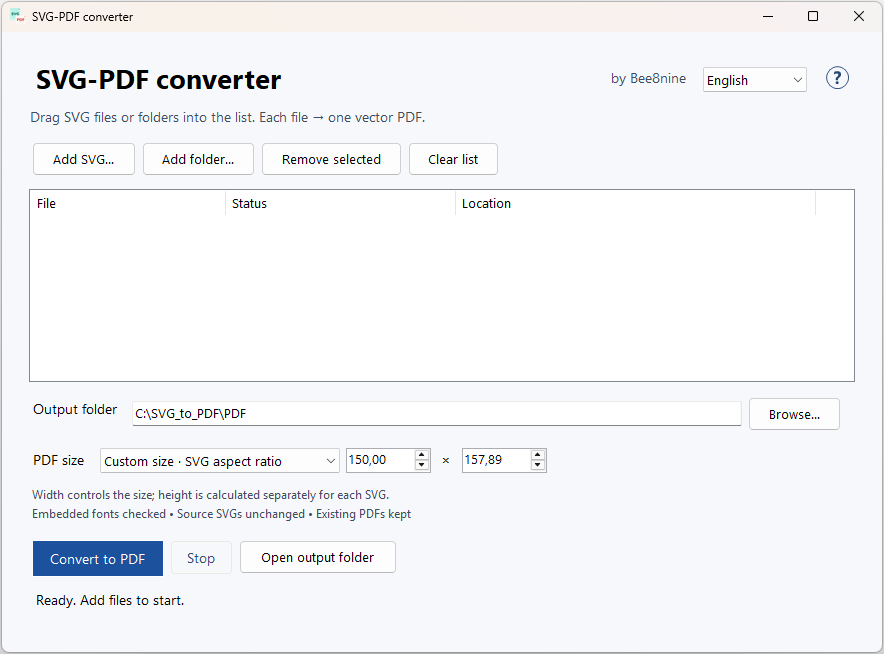
Drag files into the window or add folders including subfolders. Each SVG creates its own PDF.
Custom width or height with aspect-ratio calculation, original SVG size and a fixed 95 × 100 mm profile.
EXE for everyday graphical use; standalone COM for CMD and scripts with exit codes.
Original SVG files are kept. Existing PDFs are not overwritten; duplicates get a numeric suffix.
Embedded fonts or text converted to paths help preserve appearance. Error details are available for each file.
Personal, work and business use under the program’s own license terms.
The ZIP contains EXE, the console COM build, Czech and English guides and licenses. Extract it and launch EXE for everyday use. The app needs no installation.
Requirements: Windows 10/11, .NET Framework 4.8 and Microsoft Edge or Google Chrome installed. The package is not digitally signed.
7cb85970ab32c66f9610432220781f0ef69a3b9f0e6d2b4808e3092960ac26adConversion runs locally without an account or paid API and does not require internet. The program keeps RGB and does not create CMYK or PDF/X. Compare the first result of a new SVG type with its source.